
 Guide · Switching off after work
How to stop thinking about work at night
You’re home, but your head isn’t. The emails, tomorrow’s meeting, the thing you forgot to send. Here’s how to leave work at work, in six simple steps that research supports, and a free app that does them with you.
- Free every evening
- No card, no password
- Android app on Google Play
- iPhone app coming soon
Quick answer
Spend three minutes getting tomorrow’s jobs and worries out of your head and onto a list, give each worry one first step, then do one small thing that says “home”. Keep the last hour before bed calm, and if work pops up later, park it for tomorrow.
 Clock Off
Step by step
Six steps to leave work at work.
-
1
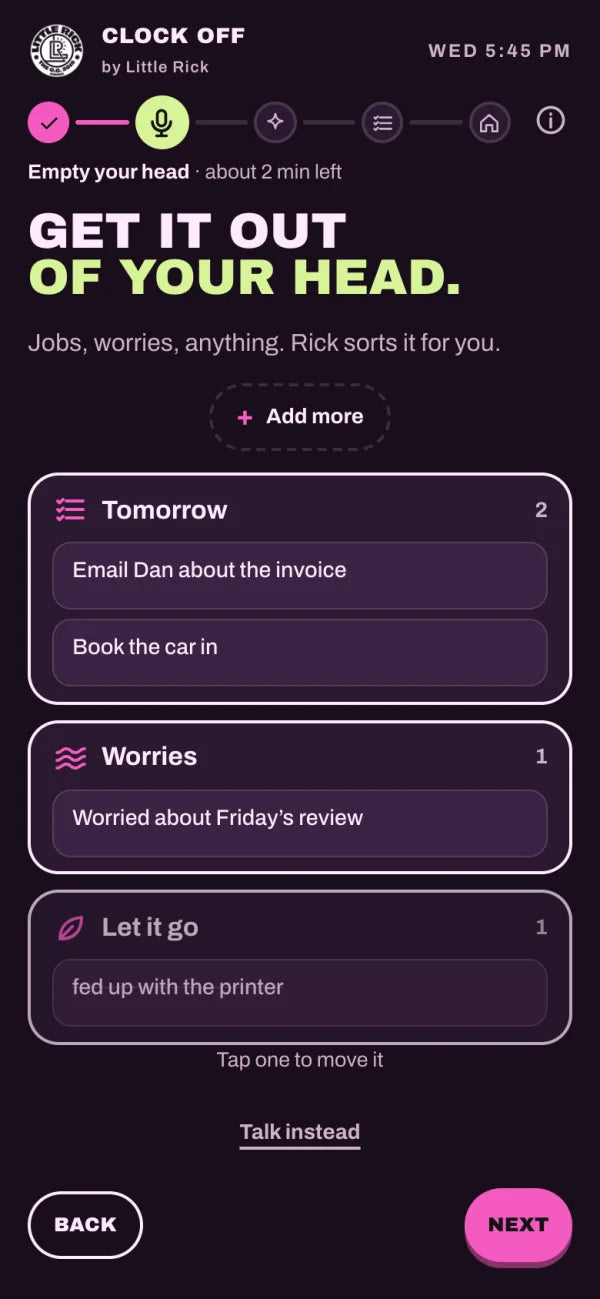
Empty your head before you sit down
Write or say everything still buzzing: jobs, worries, half-thoughts. Once it’s on a list, your mind doesn’t have to keep holding it.
Five minutes writing tomorrow’s to-do list helped people fall asleep sooner. Scullin et al., 2018
-
2
Give each worry one first step
Not a solution, just the next small move: “call the supplier at 9 AM”, “check the figures first thing in the morning”. A worry with a plan is far easier to put down.
Writing a worry down early in the evening, with one next step, helps a busy mind settle by bedtime. Carney & Waters, 2006
-
3
Mark the end of the day
Change your clothes, walk around the block, make a cup of tea. One small thing you do every day that says “home” helps your head follow you out of work.
-
4
Turn the work pings off
Work notifications off for the evening, laptop shut and out of sight. Working from home? Close the door on it, or pack it away in a bag.
-
5
Give the last hour to winding down
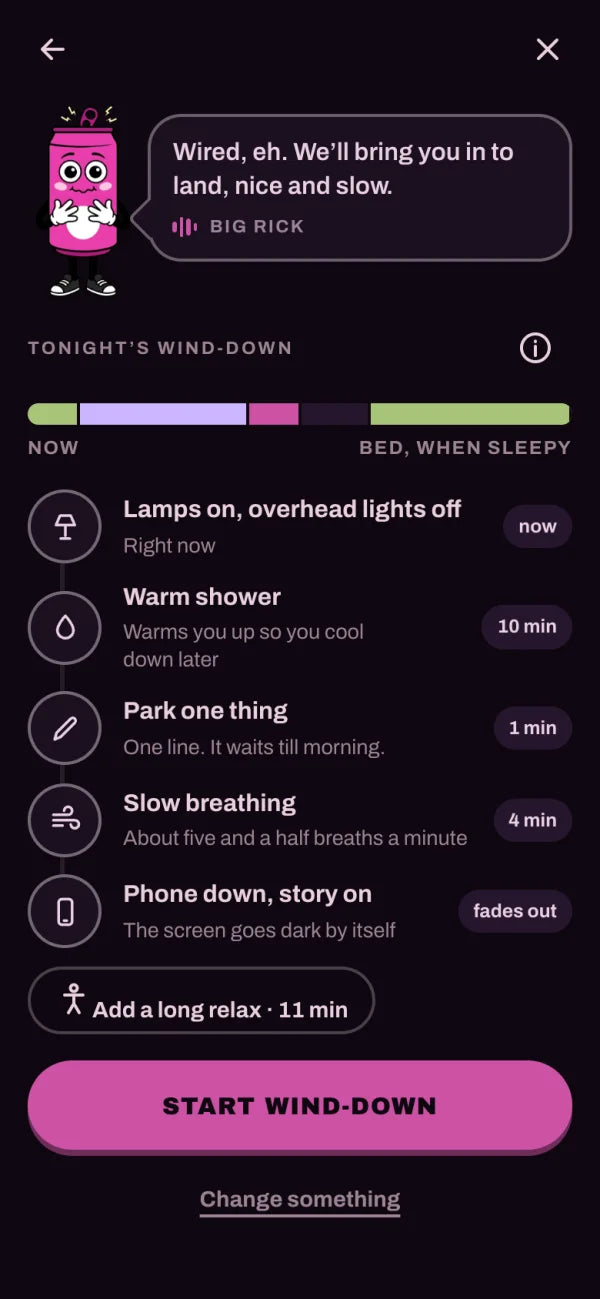
Lamps on, a warm bath or shower, slow breathing, something calm. Try to keep similar bedtimes and wake-up times, so your body learns the cue.
Going to bed and getting up at similar times every day is linked with better sleep and mood. Windred et al., 2024
-
6
If it comes back at bedtime, park it
Thinking about work at 11 PM? Add it to tomorrow’s list and let it wait. A short meditation or a calm story gives your mind something gentle to follow instead.
In a review of 18 trials, mindfulness meditation helped people sleep better. Rusch et al., 2019
The verdict
Why people choose Clock Off.
-
It starts when work ends
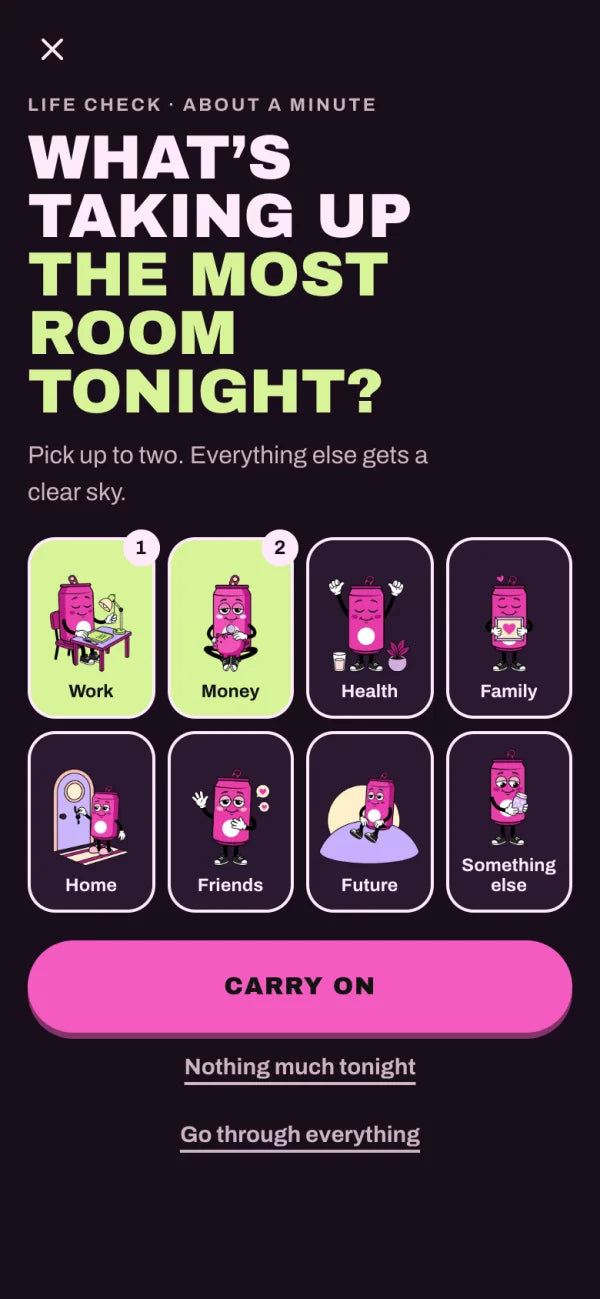
Say or type whatever’s still buzzing and it becomes tomorrow’s list. Each worry gets one small first step, and Life check helps after a heavy day.
-
A guided evening, not a library
Tonight’s plan fits around your day: how you feel, how wound up you are, your bedtime and when you need to be up. One button per screen, nothing to pick.
-
Seven nights to switch off
A gentle habit course to start you off: a steady bedtime, a wind-down that works for you, and bed kept for sleeping.
-
Why it helps, in plain words
Every technique comes with a short note from Rick on why it helps, and the research behind it.
The guided evening is free for good. No card, no password.
Tonight
Do it tonight, with Clock Off.
-
Clock off in three minutes
When you get in, say or type whatever’s still buzzing. It becomes tomorrow’s list, each worry gets a first step, and you pick one thing that says “home”.
-
Park it for tomorrow
Anything you park waits for ten quiet minutes the next day, with a first step ready. So tonight, you can let it go.
-
A wind-down for how you feel
Wired, low, exhausted or anxious? Tap how you feel and tonight’s wind-down is ready. No planning, no deciding.
-
Settle in bed
Big Rick’s calm stories, or a short meditation lying down with the lights off. And if you wake at 3 AM, he’s there too.
Price
Free for good. Clock Off+ when you want more.
Free
$0
For good. No card needed.
- The whole guided evening, every evening
- Switching off after work, and Life check
- Slow breathing, including the sigh
- Help at 3 AM
- The first 10 evening and 10 morning meditations
- Each new Bedtime story, free in its first week
Clock Off+
$49.99 a year
or $5.99 a month · 7-day free trial on the yearly plan
- Every Bedtime story and Short story
- Every evening and morning meditation
- Rick helps you think each worry through
- See what helps you sleep, from your own mornings
Included with any Little Rick subscription
Good questions
Before you decide.
Why can’t I switch off from work?
When something’s unfinished, it’s natural for your mind to keep coming back to it, and a phone full of work messages doesn’t help. Writing it down with a next step, and giving the working day a clear end, helps your mind let it go for the evening.
How do I stop thinking about work at night?
Get tomorrow onto a list early in the evening, so it’s not waiting for you at bedtime. If a work thought turns up in bed, add it to the list, breathe out slowly and give your mind something gentle to follow, like a calm story or a short meditation.
How do I switch off from work when I work from home?
Give the day a clear end. Shut the laptop and put it out of sight, change out of work clothes, and do one thing that marks the change, like a walk around the block. A three-minute clock-off at the same time each day helps too.
How long does it take to switch off after work?
It’s different for everyone, and it gets easier with practice. A short routine you repeat every day, like three minutes clearing your head and one thing that says “home”, soon becomes the signal that work is done.
Is there an app to help you switch off after work?
Yes. Clock Off is a free evening app from Little Rick. When you get in, it turns what’s on your mind into tomorrow’s list, then winds you down for bed with a calm voice, stories and short meditations. It works in your phone’s browser, with nothing to download.
What if I wake at 3 AM thinking about work?
Keep the lights low and don’t check the time. Park the thought for the morning, breathe slowly, and let yourself rest. Clock Off’s 3 AM screen is dim, shows no clock, and helps you do just that.
Sources (checked November 2026)
Details for other apps as of November 2026, from their own app store listings and websites. Prices can differ by country and by where you buy; check before you subscribe. Other apps’ names are used only to identify them.
